
MacBook Pro 16-inch M1 Pro or Intel (2019): what is the difference?
Short answer: the main difference is the magnetic MagSafe charging port, combined with the new design without a Touch Bar, and performance: it is significantly faster without the MacBook getting extremely hot.
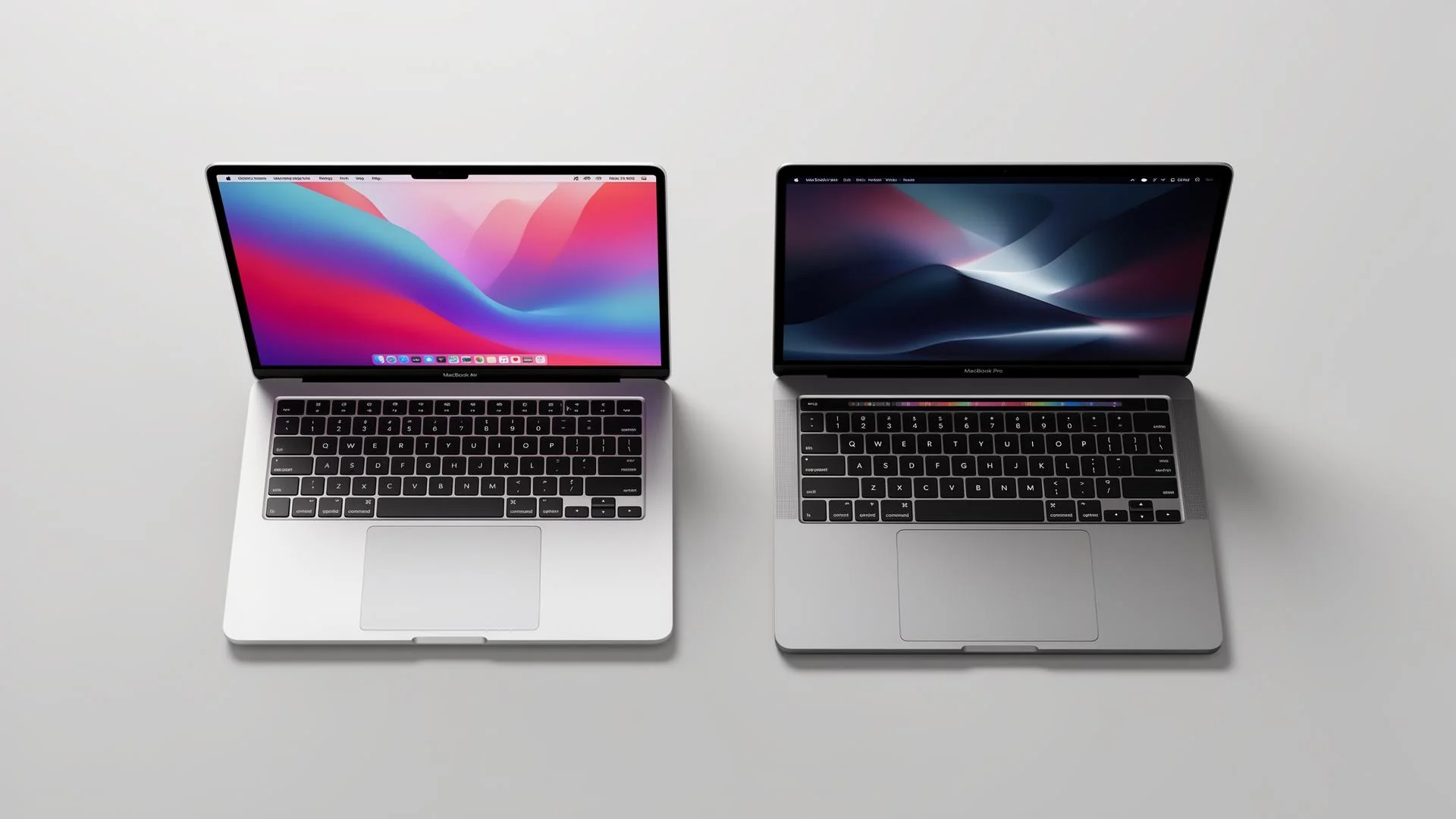
Apple no longer makes the Intel MacBook Pro 16-inch series, either with the hexacore (6-core) i7 or the octacore (8-core) i9. These were the fastest Intel-powered MacBooks Apple ever made: the final, 9th generation, which still performs very well. The 8-core i9 with a dedicated 4 GB or 8 GB graphics card still holds its own in 2026. They remain very popular in the creative sector: video editors, musicians and Photoshop users still regularly work with these machines.
Less popular on virtually all Intel MacBook Pros with USB-C are the connections. You only get USB-C ports, so you soon need a hub for traditional USB, HDMI, an SD card slot and possibly Ethernet.
Intel-generation MacBooks also lack a MagSafe charging connection. We have never really understood why Apple left MagSafe out when it introduced the MacBook Pro in 2016, both with and without a Touch Bar. MagSafe is one of Apple’s most ingenious inventions ever. Anyway, we have good news.
As most people know, Apple has fully switched to its own chips: Apple Silicon. The first Apple Silicon generation for the 16-inch MacBook Pro arrived in 2021, in both the 14-inch and 16-inch MacBook Pro, with M1 Pro and M1 Max. Alongside these chips, the MacBook Pro received a completely new design. Here is what Apple changed:
- The display: the M-series now uses a Liquid Retina XDR display (mini-LED) with ProMotion (variable up to 120 Hz).
- The design takes some inspiration from older MacBooks again. The curves are back, it is slightly thicker, and the device feels much more solid than its predecessor.
- The much-loved MagSafe port is back, as are the traditional HDMI port and SD card slot.
- The Touch Bar is gone and physical function keys are back in their place. Thankfully, Touch ID remains.
- The CPU and integrated graphics chip in Apple Silicon are significantly faster than 9th-generation Intel. The Intel generations with x86 architecture performed quite well but quickly got warm under heavy workloads. M1 Pro and M2 Pro use ARM architecture and run very efficiently. The graphics chip is integrated rather than dedicated. This makes for a much quieter MacBook that uses its power far more efficiently during demanding tasks. The result is longer battery life and much faster task completion.
The Apple Silicon generations from M1 Pro through M5 share the same look: the casing and design have barely changed since 2021. At the end of October 2026, Apple did announce a new, more expensive MacBook Pro with an OLED touchscreen, but I think we can be quite proud of the new old-school Mac, if I may call it that.
At a glance
| MacBook Pro 16" M1 Pro (2021) | MacBook Pro 16" Intel (2019) | |
|---|---|---|
| Processor | Apple M1 Pro, 8- or 10-core CPU | Intel Core i7 (6-core) or i9 (8-core) |
| Graphics | 14- or 16-core GPU, integrated | AMD Radeon Pro 5300M or 5500M (5600M optional) |
| Memory | 16 or 32 GB unified memory | 16 to 64 GB DDR4 |
| Display | Liquid Retina XDR (mini-LED), 3456 × 2234, up to 120 Hz | Retina (IPS), 3072 × 1920, 60 Hz |
| Brightness | 1000 nits, up to 1600 nits for HDR | 500 nits |
| Battery life (Apple) | Up to 21 hours of video, up to 14 hours of web browsing | Up to 11 hours |
| Ports | 3× Thunderbolt 4, HDMI, SD card reader, MagSafe 3, headphones | 4× Thunderbolt 3, headphones |
| Keyboard | Magic Keyboard with physical function keys | Magic Keyboard with Touch Bar |
| Camera | 1080p | 720p |
| Weight | 2.1 kg | 2.0 kg |
| Latest macOS | Golden Gate (27) and beyond | Tahoe (26) |
Frequently asked questions
Is the M1 Pro really that much faster than an i9?+
For demanding work such as exporting video or editing large photo files, it is often twice as fast. The difference mainly comes from the M1 Pro sustaining its speed, while the i9 gets warm and throttles under prolonged load.
Will my software work on the M1 Pro?+
Almost all well-known programs now run natively on Apple chips, including Office, Adobe Creative Cloud, Final Cut Pro and Logic Pro. Older Intel-only programs usually run through Rosetta. If you are unsure about a specific program, feel free to ask us.
Can I run Windows on the M1 Pro?+
Not through Boot Camp, but through virtualisation software such as Parallels. This runs the ARM version of Windows. If you need specific Windows software that does not work there, the Intel version is the better choice.
How much longer will the Intel version receive updates?+
macOS Tahoe (26) is the last version. Apple has indicated that Intel Macs with Tahoe will receive security updates for three more years.
Read also: Is a MacBook from 2018, 2019 or 2020 still good in 2026?