
Why a MacBook from 2019 or 2020 can still be a good choice
"Isn't a MacBook from 2019 or 2020 already pretty old? I don't want to have to buy another MacBook again next year." We hear this far too often. It's a fair question, and the honest answer is: it depends on how you use it. Below, we explain what you can expect from such a model — including the points where you might genuinely run into limits.
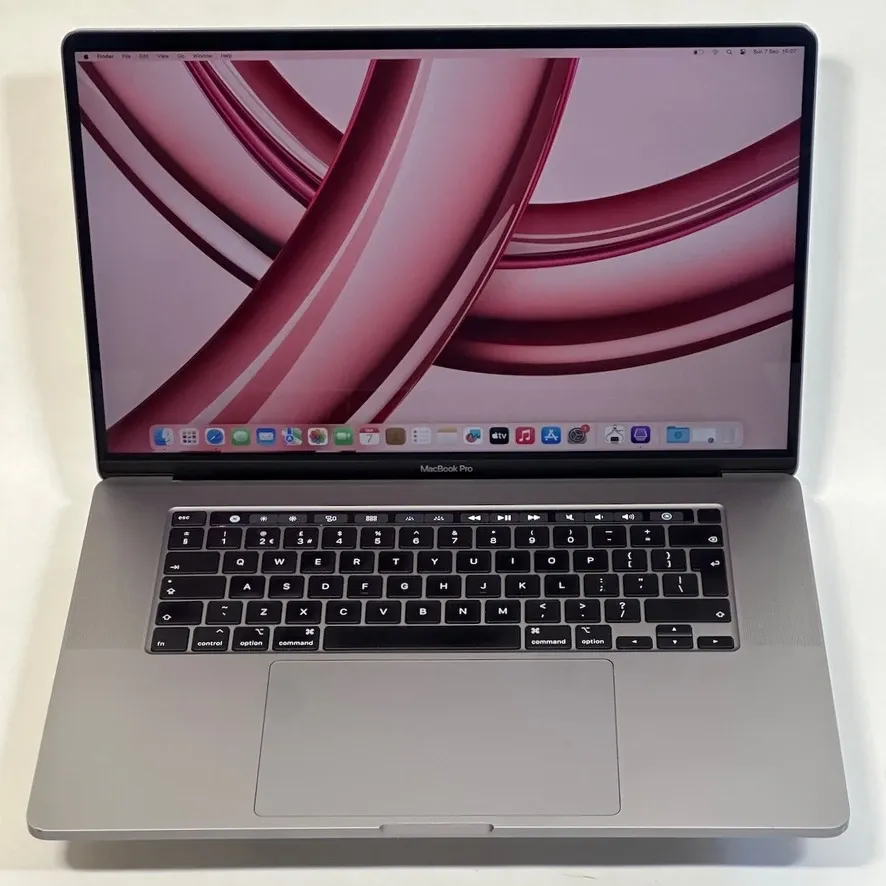
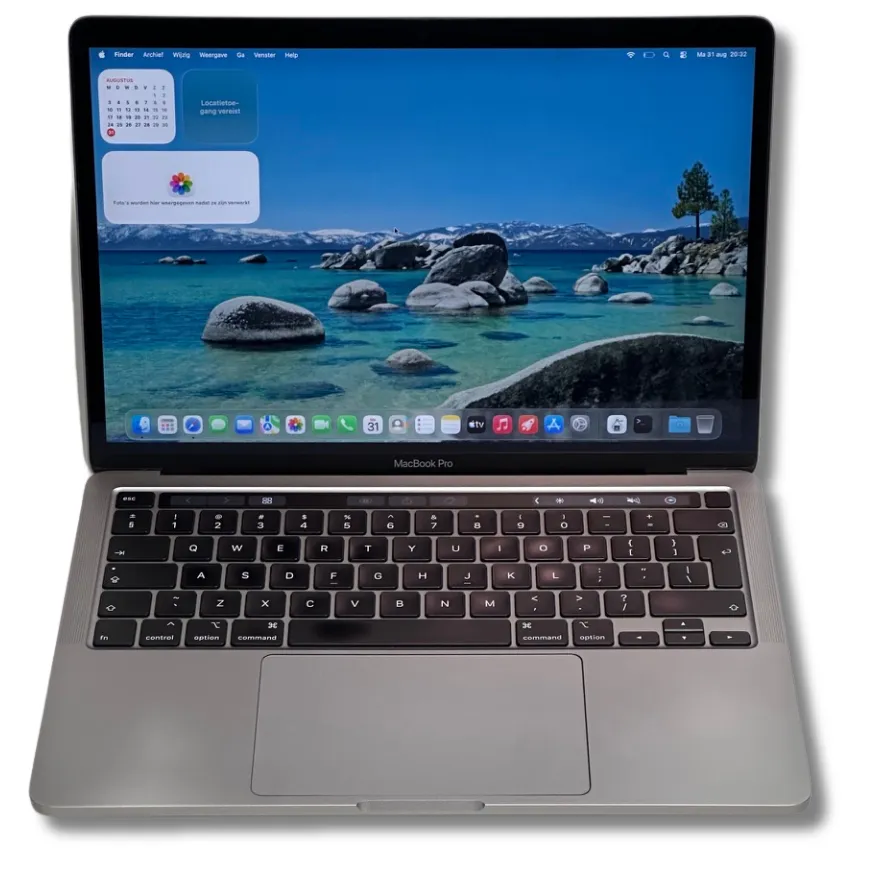
Isn't a MacBook from 2019 or 2020 too old?
It is indeed a MacBook getting on in years: five or six. But age alone tells you little about usability. What matters is exactly which model it is, the condition of the device, and what you'll be using it for.
It's important to know that support differs per model, and that difference is bigger than many people think. According to Apple's own compatibility list, these models from this generation can still run macOS Tahoe (macOS 26):
- MacBook Pro 16-inch (2019)
- MacBook Pro 13-inch (2020, four Thunderbolt 3 ports)
- MacBook Air (M1, 2020)
Models not on that list include the 2019 MacBook Air and the 13- and 15-inch MacBook Pro from 2019. Those keep working on whatever macOS version is installed, but won't get a new major release. Always ask for the exact model and year — "a MacBook from 2019" isn't one single, unambiguous device.
The 2019 and 2020 Intel models are the last generations with an Intel processor. Since late 2020, Apple switched to its own chips, and macOS Tahoe is the last macOS version to support Intel Macs. The MacBook Air (M1, 2020) isn't an Intel model, so it isn't affected by that.
What happens once a MacBook no longer gets a new macOS version?
This is often what our customers worry about: "if I can't upgrade any more, won't I be unprotected and exposed to hackers?" No, that's not how it works. Your MacBook doesn't simply stop functioning one day.
Alongside the newest macOS version, Apple usually also releases security updates for the two previous versions. So you'll keep receiving updates for the operating system on your MacBook for a while yet. Exactly how long that continues per model isn't something Apple states in advance, so we deliberately won't give a specific year. What we do know: Apple has indicated it will continue providing security updates for Intel Macs for a period after the successor to Tahoe.
From our own experience
Until last year, we were still selling MacBooks from 2015. Those ran macOS Monterey — several generations behind by now. Those machines still did their job just fine on almost every front: mail, browsing, Office, photos. The customers who bought them knew exactly what they were getting, and are still using them today. That's precisely why we say: the end of major updates is a gradual wind-down, not a hard stop.
How much longer can you use a MacBook from 2019 or 2020?
There's no exact expiry date, and anyone who gives you one is guessing. What we do know from experience: the hardware is rarely the problem. MacBooks that are eight to ten years old still come through our doors and work perfectly well technically. The practical limit lies with software.
If you buy a MacBook from 2019 or 2020 now for mail, browsing, study, Office and video calls, there's a good chance you'll get several more years of normal use out of it. Just bear in mind that eventually you may not always be able to run the very latest version of every app.
What limitations will you eventually run into?
Let's be honest: limitations do appear. They just arrive later and more gradually than people fear.
- New app versions. An app in the App Store may eventually require a newer macOS version than your MacBook can run. You'll often still be offered an older, compatible version — but not forever.
- Browser support. Safari ships with macOS. If your macOS version falls far behind, it may be worth switching to a browser that supports older systems for longer, such as Chrome or Firefox.
- New Apple features. Features that require Apple Silicon, including Apple Intelligence, simply won't work on the 2019 and 2020 Intel models.
- Battery. On a device that's five or six years old, battery condition is worth checking. Always ask about the number of charge cycles and its condition.
Whatever you've already installed keeps working. The limitation lies in what you want to newly install or update.
Is a MacBook from 2019 or 2020 much slower than a new MacBook?
That varies a lot by task. In pure performance per watt, the Apple Silicon models are clearly further ahead: they're more efficient, run cooler and generally get longer battery life. That's a real advantage, and we're not going to pretend otherwise.
But for everyday work, you'll notice this less than you might think. Plenty of Intel MacBooks still feel very fast and are perfectly capable of editing video. The 2020 13-inch MacBook Pro comes with a quad-core processor as standard. The 2019 16-inch MacBook Pro starts with a 6-core i7 and is even available with an 8-core i9 — these remain workhorses among MacBook Pros. Both have SSD storage, which is what you notice most in daily use: starting up, opening files, switching between programs.
Which model suits you?
The 2019 16-inch MacBook Pro
This model is especially interesting for people doing graphics work. It has a dedicated graphics card, making it well suited to video editing and heavier creative software. With the 6-core i7 or 8-core i9 you get serious processing power, and the larger screen helps with editing and layout work. It's also the only 2019 MacBook model that still runs macOS Tahoe.
The 13-inch MacBook from 2020
The 2020 13-inch models are popular among students: light, compact and easy to carry around. Also a good fit for people who travel a lot and deliberately want a smaller size. These users tend to have somewhat more basic needs — and this machine is more than capable for that. With the 2020 13-inch Pro, pay attention to the exact configuration: only the version with four Thunderbolt 3 ports is on the Tahoe list.
| MacBook Pro 16" (2019) | 13-inch MacBook (2020) | |
|---|---|---|
| Strong at | Video editing, graphics work | Study, office work, on the go |
| Processor | 6-core i7 or 8-core i9 | Quad-core (Pro) or M1 (Air) |
| Graphics card | Dedicated graphics card | Integrated |
| Size | Large screen, heavier | Light and compact |
| macOS Tahoe | Yes | Air (M1) and Pro with 4 ports: yes |
Check current stock in our full MacBook range — each model lists the processor, memory and storage it comes with.
A fast MacBook for a fraction of the new price
The biggest advantage is simple: you pay considerably less than for a new model, while still getting a fast machine for daily use. Not every user needs the newest hardware. Anyone who mostly emails, browses, studies and works in Office will barely notice the difference from a new model on an average day — but will certainly notice it on the price.
That money can also be spent differently: more memory or more storage within the same budget often delivers more in practice than a newer build year with the base configuration.
When should you buy a newer MacBook instead?
There are situations where we simply advise a customer against going for a 2019 or 2020 model. Newer models naturally have faster and more efficient processors, longer software support ahead of them, usually better battery life, and access to features that require Apple Silicon.
- You need the newest version of Photoshop or similar software every year for work
- You regularly work on demanding, sustained video, 3D or development projects
- You want a device that's guaranteed new macOS versions for five years or more
- You want Apple Intelligence and other features that require Apple Silicon
If any of this sounds like you, it's better to look at a newer model. We'd rather have a satisfied customer than a quick sale.
Who is a MacBook from 2019 or 2020 suitable for?
A good choice if…
- you're studying or doing office work
- you work with Office, email, browsing and video calls
- you're happy with something like Office 2021
- you occasionally edit photos or video (16-inch 2019)
- you deliberately want to spend less
Better to choose a newer model if…
- you always run the newest professional software
- you do heavy editing or 3D work every day
- you want new macOS versions for as long as possible
- maximum battery life is a deciding factor for you
Conclusion: is a MacBook from 2019 or 2020 still a good choice?
You don't always need the newest MacBook. The right MacBook for your needs can also be an older model. A MacBook from 2019 or 2020 isn't a replacement for a new model — newer MacBooks are faster, more efficient and get new macOS versions for longer. But if your use consists of browsing, study, Office and daily tasks, this gets you a fast machine for a fraction of the new price, with several more years of normal use ahead of it.
The exact model still matters most: the 2019 16-inch Pro, the 2020 13-inch Pro with four Thunderbolt ports, and the MacBook Air (M1, 2020) are the best positioned in terms of support. Not sure which model fits your work? Tell us what you'll use it for and we'll give you honest advice — feel free to get in touch or read more about iMac and More.
Browse our MacBooks from 2019 and 2020Frequently asked questions
Is a MacBook from 2019 still good?+
That depends on the model and what you use it for. The 16-inch MacBook Pro from 2019 is the only 2019 MacBook model that can still run macOS Tahoe (macOS 26), so it keeps getting updates as normal. The 13- and 15-inch models from 2019, and the 2019 MacBook Air, stay on their last installed macOS version but won't get any new major releases. For internet, Office, study and daily use, those machines still work perfectly well; if you want to keep installing the newest software for years, choose a newer model instead.
Is a MacBook from 2020 still good?+
Yes, for most users. The MacBook Air (M1, 2020) and the 13-inch MacBook Pro from 2020 with four Thunderbolt ports are still on Apple's compatibility list for macOS Tahoe. The 2020 M1 models are also Apple Silicon, so they're not affected by the end of Intel support.
Is a MacBook from 2019 or 2020 too old?+
Age on its own tells you little. A five- or six-year-old MacBook with an SSD and enough memory still feels fast in daily use. What actually matters is how long you plan to keep using it and how dependent you are on the very latest software.
How long does a MacBook last?+
In practice, we see MacBooks that are eight to ten years old and still work perfectly well technically. The limit is almost never the hardware — it's the software. At some point, new apps or browser versions require a newer macOS version than your MacBook can run.
Can I still use a MacBook from 2019 safely?+
Alongside the newest macOS version, Apple usually also releases security updates for the two previous versions. As long as your model still receives those updates, you remain protected. Apple doesn't officially state exactly how long that continues per model, so we won't quote an exact end date.
Can I still install apps on a MacBook from 2019?+
Apps you already have will keep working. New versions in the App Store, or from developers, may eventually require a newer macOS version. You'll often still be offered an older, compatible version — but not indefinitely.
Is an Intel MacBook still fast enough?+
Definitely for office work, browsing, study and video calls. The 2020 13-inch Pro has a quad-core processor, while the 2019 16-inch Pro starts with a 6-core i7 and is also available with an 8-core i9. For heavy, sustained video or 3D workloads, the newer Apple Silicon models are more efficient and quieter.
Is a MacBook from 2019 or 2020 a good choice in 2026?+
If your usage matches what the device can do and you're consciously choosing a lower purchase price: yes. If you need the newest versions of professional software every year, a newer model is the wiser choice.